open-audiovisual A web-native framework for audiovisual performance.
Keys, knobs, voices, hands and phones become named signals. A mapping turns signals into parameters. Your world reads the parameters and turns them into image and sound, in a browser tab, on a projector, on stage.
oav-p5 0.8 · framework 0.1 · MIT · zero build · zero dependencies
01 · Play This instrument is the framework running
 L3 world · harmonograph
60 fps
0 voices
L3 world · harmonograph
60 fps
0 voices
Tap the keys or the stage, or press A to L, to play.
A–L play · Z/X octave · drag the stage
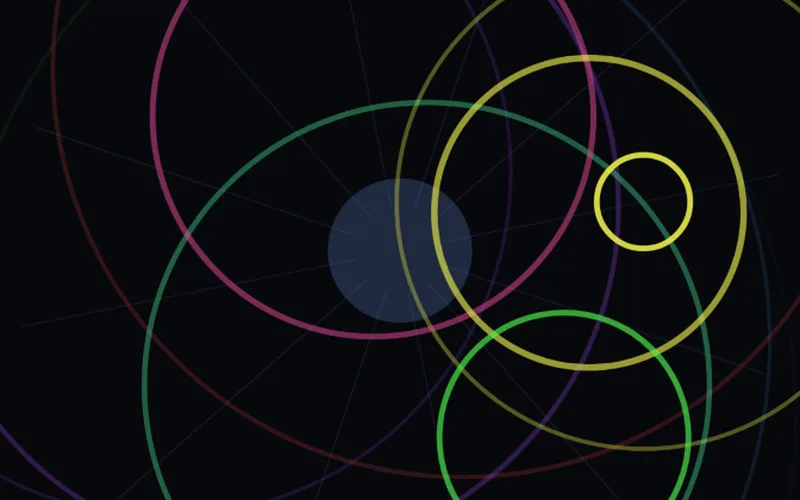
The world on this stage is a harmonograph, the pendulum drawing machine that turned musical intervals into figures. Each note you play swings one pendulum at its pitch. The chord analyzer reads what you hold and sends its consonance through one route, chord/consonance → order: a triad draws a clean figure, a cluster draws a tangle. Read the source of this instrument →
02 · How it works
Four layers, kept apart
A performance has four parts: something happens, it means something, a world reacts, and the result leaves the browser. open-audiovisual keeps the four apart, so you can swap any one of them and keep the rest.
-
L1 Input
“what is happening”
A MIDI key, a microphone, a chord, a hand in front of the camera, a phone tilted in the air. Each one becomes a signal: a name and a number, usually between 0 and 1.
pointer/x = 0.50from the instrument above -
L2 Mapping
“what it means”
Routes connect signals to params, each with a curve, a range and smoothing. One knob can drive three params. Press learn, move anything, and it is wired.
pointer/x → hue smooth 0.25from the instrument above -
L3 World
“how it behaves”
Your piece. It reads params, never inputs, and draws with whatever you like: canvas, p5, three.js, a WebToe node patch.
hue = 14from the instrument above -
L4 Output
“how it leaves”
The screen, and sound: instruments in the page, MIDI out to hardware and DAWs, OSC to Spat, Reaper, TouchDesigner or lights.
screen · 60 fpsfrom the instrument above
Around the four layers
- Timeline
- The score: param automation, scenes and cues. When a hand grabs a control, the score yields.
- Console
- The director's desk: transport, sliders, learn, meters, and a performance mode on T.
- Monitor
- Backstage on any phone or laptop on the network: clock, scene, every signal, FPS, and an alarm when the stage feed drops.
- Phones
- Phones and iPads as controllers: tilt and knock sensors, a keyboard, and a control surface grown from the world's params.
Two rules
- Signals are the only currency of input. A knob, a raised hand and a chord's consonance are equal citizens with names. That equality is what lets you mix them.
- Worlds never know who is performing them. A world reads params. The same world can be played by a pianist, a dancer, or an automation curve.
Words used on this page
- Signal
- A named value that says what is happening, such as
midi/cc/74oraudio/rms. Usually 0 to 1. Pulse signals carry events, like a note being struck. - Param
- A value the world listens to, such as
hueorbloom. The world declares it. The timeline, a slider or a route sets it. - Mapping, route
- A wire from a signal to a param, with a curve, a range and smoothing. Routes are data, saved as JSON, so a wiring can travel between venues.
- World
- The piece itself: an object with
params,init,update,renderanddispose. The only part you have to write. - Timeline
- Automation and scenes over time. The baseline that hands and knobs override.
- Show
- A world plus one
createShow()call, which assembles inputs, mapping, timeline, console, sound and backstage.
03 · Works
Twenty-six works you can open now
Every example runs without hardware. An on-screen piano, QWERTY keys, a simulated performer or a drum machine stands in for instruments. In any example: Space plays the timeline, T is performance mode, F is fullscreen.
-
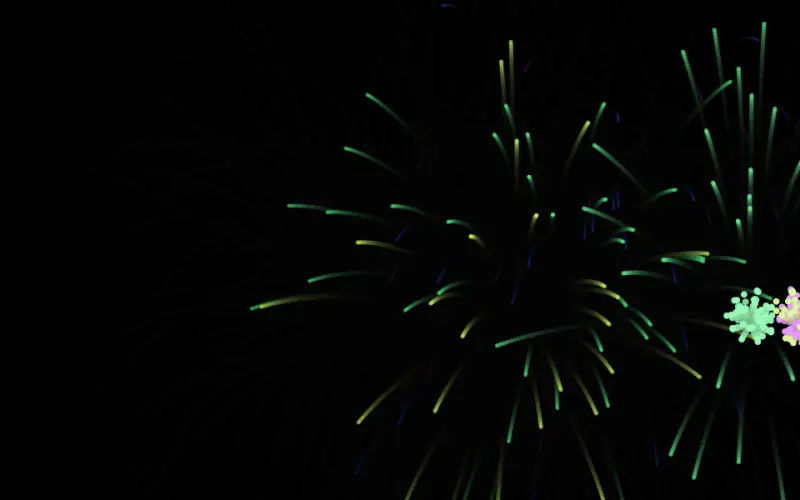
01
Hello particles
Plays with on-screen piano · QWERTY · simulated performer
The smallest complete app. Read its
main.jsfrom top to bottom and you know the framework.① First open
-
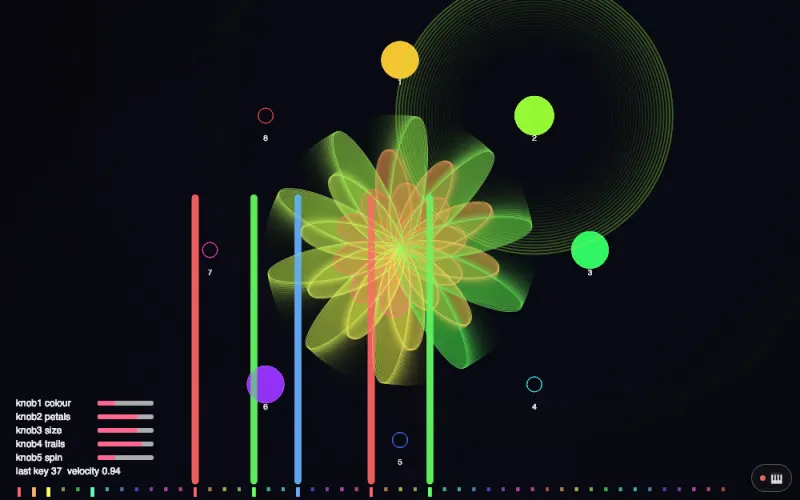
15
p5.js in one line
Plays with MIDI controller · on-screen controller · phone
A plain p5 sketch whose first line loads
oav-p5.js, then plays from a MIDI controller, an on-screen controller or a phone.① First open
-
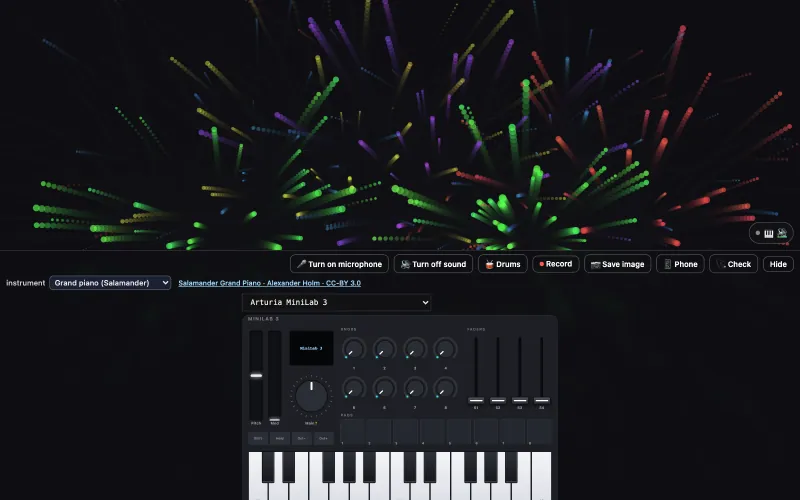
16
p5 keys with sound
Plays with MIDI keyboard · on-screen controller · phone
startSound('piano')insetup(): every key from a MIDI keyboard, the 🎹 on screen or a phone is heard, and bursts into particles.② Anything can be an instrument
-
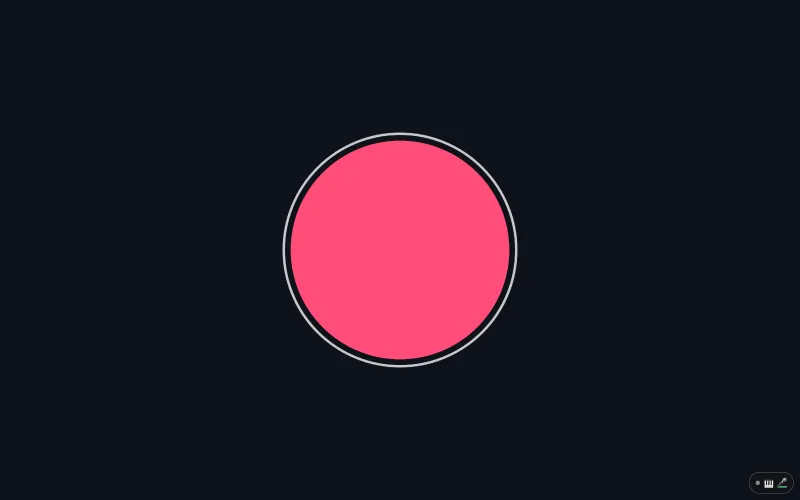
17
p5 microphone
Plays with microphone · drum machine (🥁)
micLevel,bassandbeatread the microphone the way p5 readsmouseX: a circle that grows when you speak, and no p5.sound.② Anything can be an instrument
-
22
p5 lag: smooth a jumpy value
Plays with microphone · drum machine (🥁)
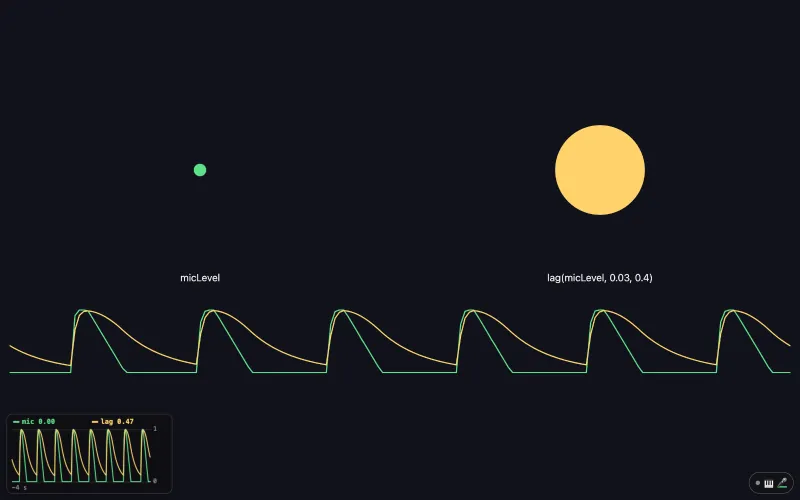
lag(micLevel, 0.03, 0.4)smooths a jumpy value the way TouchDesigner's Lag CHOP does, in the same seconds;scope()plots both in a corner of the page.② Anything can be an instrument
-
09
MIDI controllers
Plays with MIDI controller, or the on-screen one
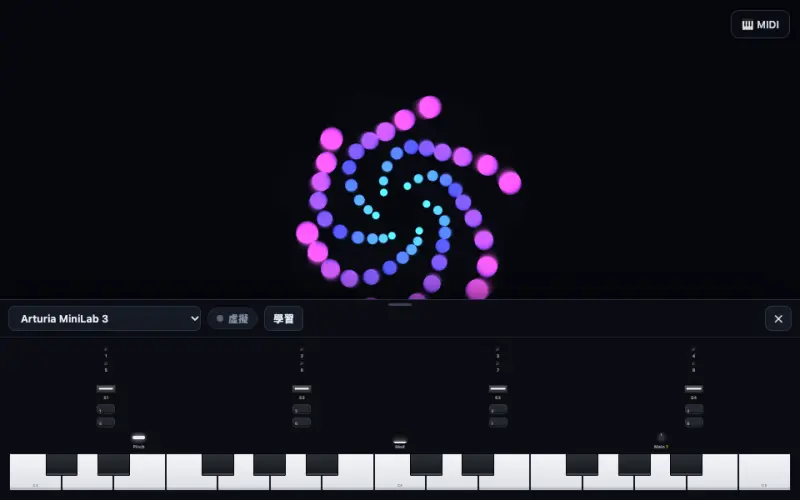
On-screen MiniLab 3, LPD8, Launchpad and nanoKONTROL2. Plug the real one in and the on-screen one moves with your hands.
② Anything can be an instrument
-
02
Chord garden
Plays with on-screen piano · QWERTY · simulated performer
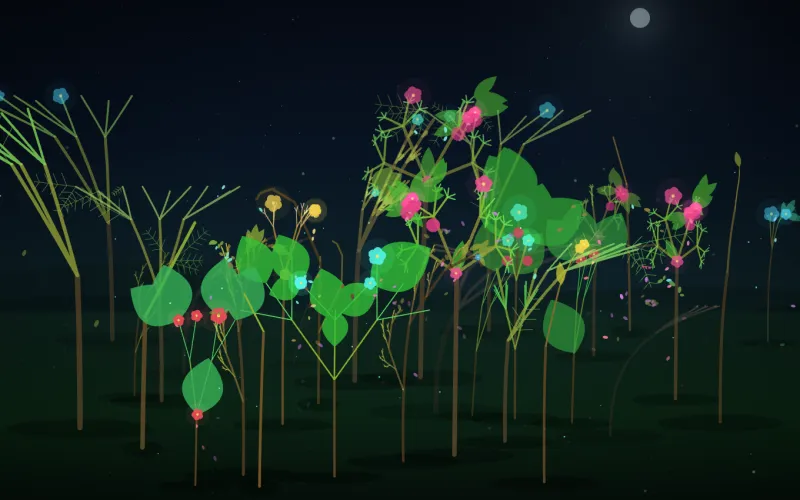
A note drops a seed, a triad opens flowers along the branches, a cluster makes them droop and fall. The branches are The Last Input's own L-system plants. The world listens to chord signals, never to keys.
② Anything can be an instrument
-
06
Cylinder earth
Che-Yu Wu, 200412 3D Cylinder Earth, 2020
Plays with microphone · drum machine
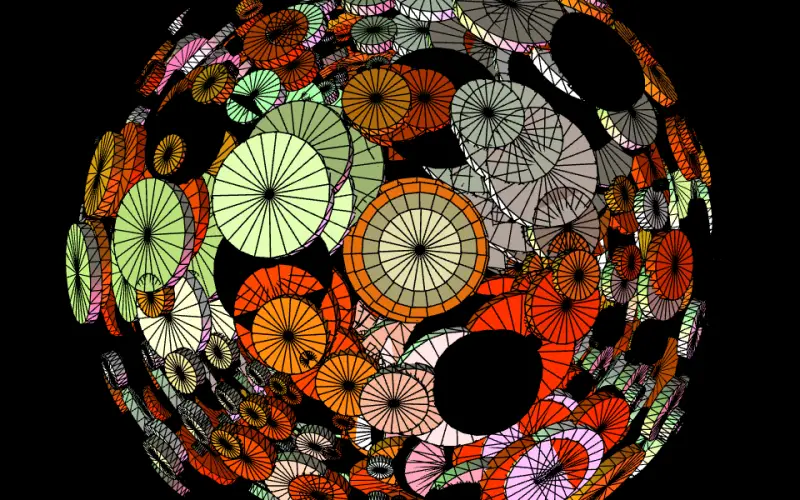
A 2020 voice-controlled WebGL sketch. Lows pump the towers, highs shimmer the spin, a kick turns the palette.
② Anything can be an instrument
-
03
Hand instrument
Plays with camera (hands) · on-screen piano · drum machine
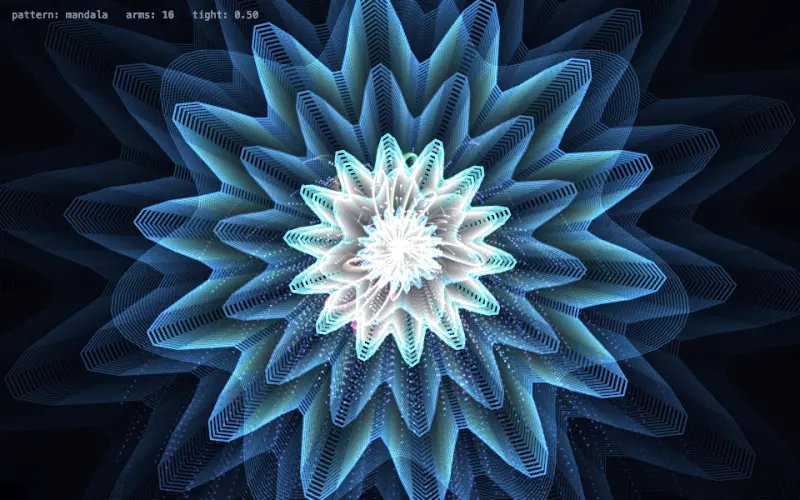
Fingers as an instrument: one pinch sets tightness, another grows arms, both fists bloom. Four pattern families: mandala, lissajous, spirograph, web.
② Anything can be an instrument
-
12
Leap hands
Plays with Leap Motion · mouse as a simulated hand
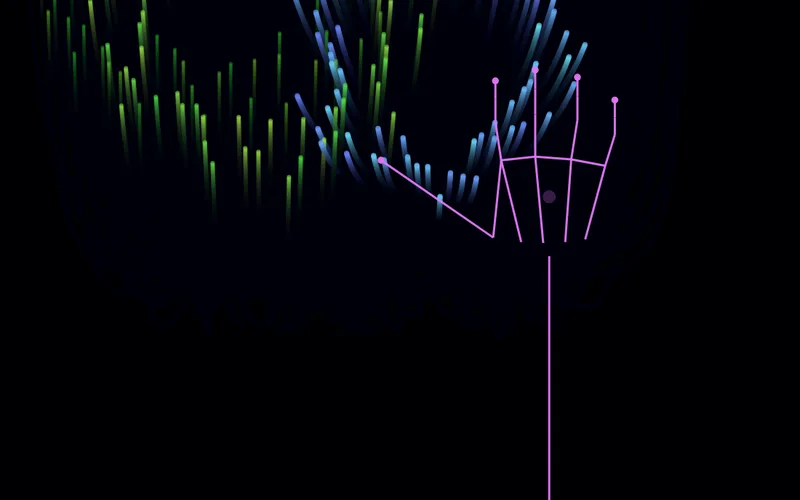
A Leap Motion as an instrument through the local bridge; the mouse simulates hands when no bridge runs.
② Anything can be an instrument
-
08
Remote surface
Plays with phone or iPad · on-screen piano
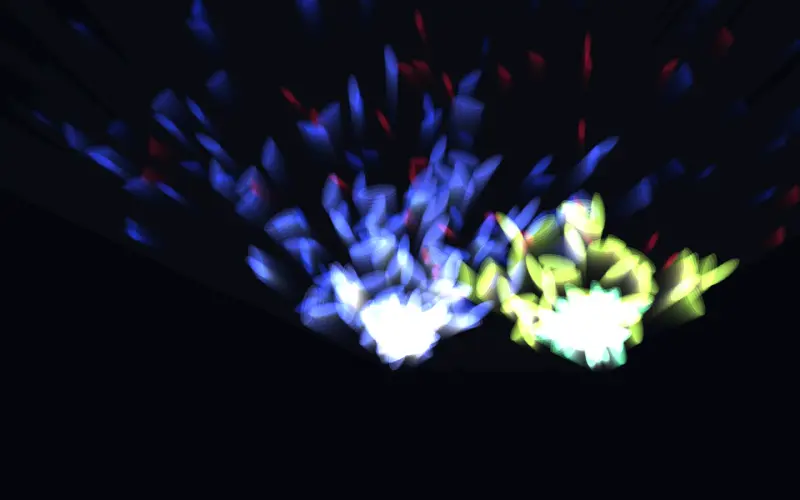
The phone is the instrument panel. The world only declares params, and the control surface on the phone grows from them. Needs
node serve.json your network.② Anything can be an instrument
-
23
p5 with Strudel
Plays with Strudel in another tab · on-screen controller
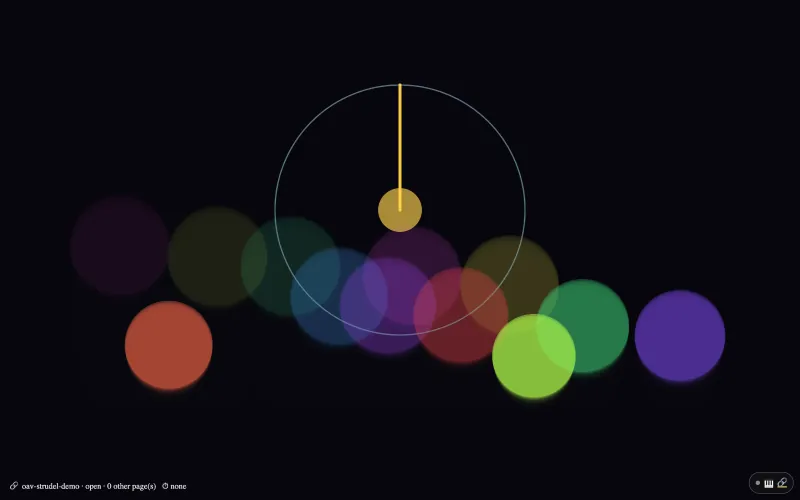
Strudel plays in another tab and this sketch draws: every note Strudel sends to OAV Virtual MIDI calls
notePressed(), and its clock turnsdrumPhase.② Anything can be an instrument
-
24
p5 note names
Plays with MIDI keyboard · on-screen controller · phone
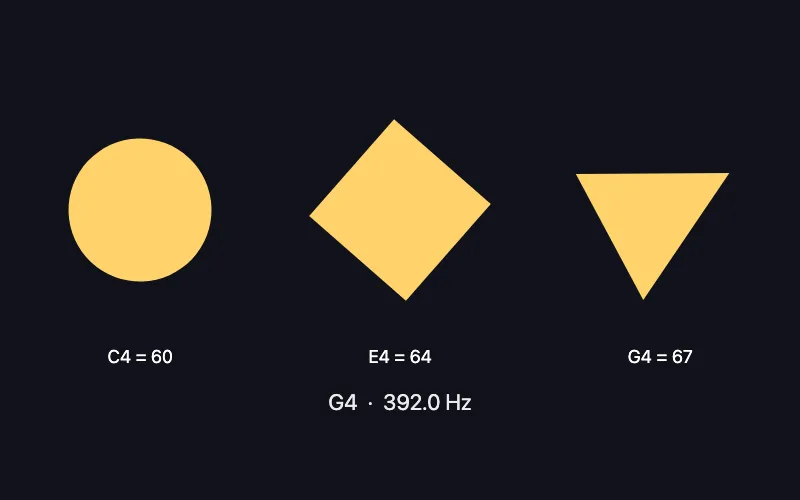
noteIsDown('C4')works likenoteIsDown(60): write note names (C4, c#4, Db3) wherever a note number goes;noteNumber(),noteName()andnoteFreq()convert.② Anything can be an instrument
-
25
p5 numbers that move
Plays with microphone · drum machine (🥁)
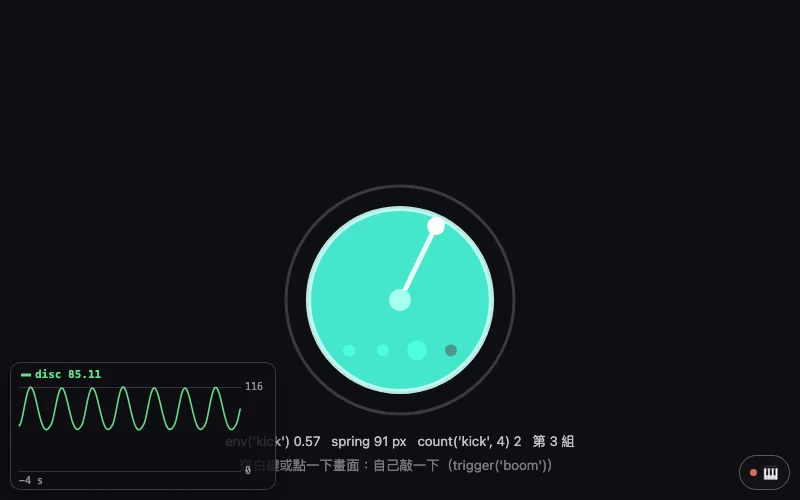
env('kick'),spring(),speed()andcount('kick', 4)shape a number the way TouchDesigner's Trigger, Spring, Speed and Count CHOPs do: a bass drum opens a disc, a spring bounces it back, a hand turns, every fourth kick changes the colour.② Anything can be an instrument
-
![A circle of sixteen steps with a white hand on the left; on the right the rhythm line bd ~ [~ bd] ~, ~ cp ~ cp, hh(5,8), 'changed by: type', and the three earlier lines; the keys 1 to 4, Z and S explained at the bottom.](./assets/home/works/26.webp)
26
p5 rhythm lab
Plays with keys 1–4, Z, S · drum machine (🥁)
OAVp5.drums.edit('bd(3,8), …')swaps the rhythm like typing it,OAVp5.drums.undo()goes back a line,OAVp5.drums.strudelUrlopens the line in Strudel;rhythmChanged()says what the line is now.② Anything can be an instrument
-
04
WebToe stage
Plays with on-screen piano · simulated performer
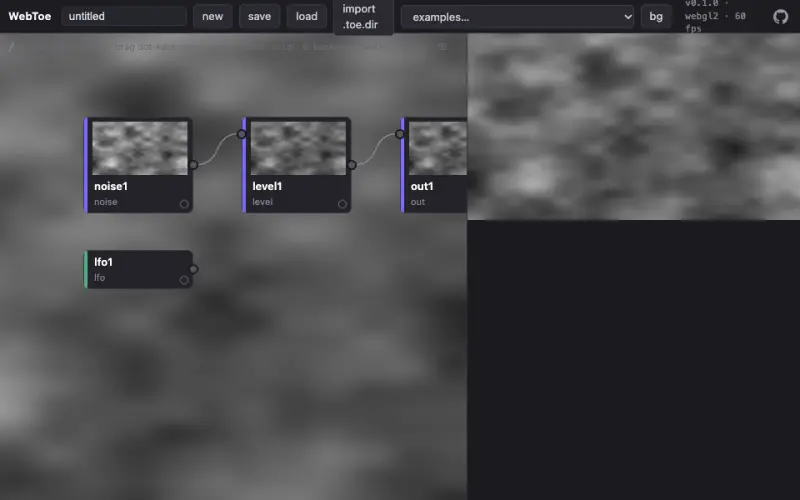
The world is a WebToe node patch, TouchDesigner-style, performed through
ext()bindings. WebToe is the engine, open-audiovisual is the show.③ Bring another picture engine
-
05
Prebiotic flake
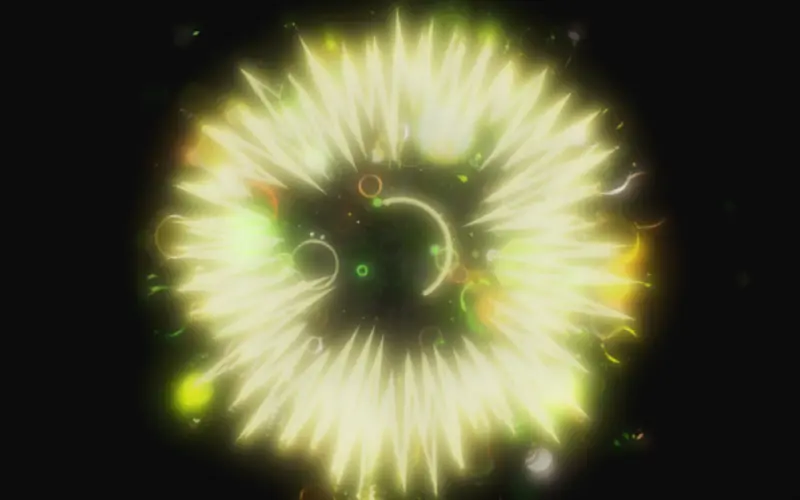
Che-Yu Wu, 230616 Prebiotic Flake, 2023
Plays with on-screen piano · simulated performer · sound
A 2023 MIDI daily sketch replayed through the framework. The drawing code is the original. The flakes now have a voice through Tone.js.
③ Bring another picture engine
-
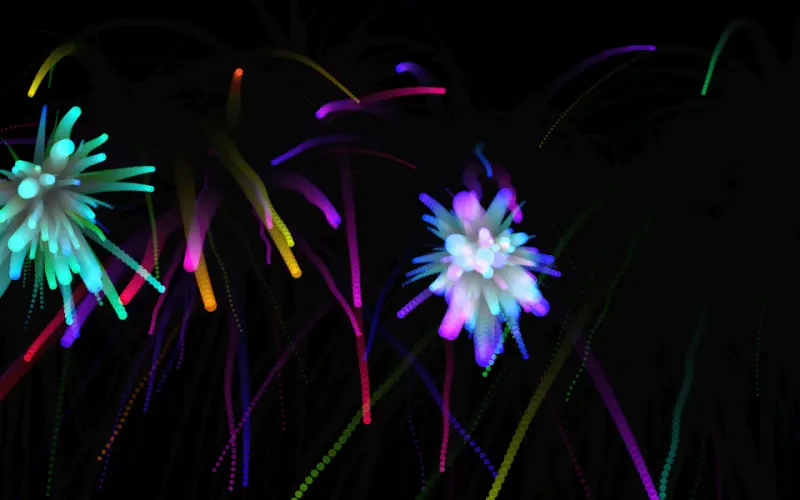
07
Firework festival
Che-Yu Wu, 210807 Firework 花火大會, 2021
Plays with camera (hands) · on-screen piano
A 2021 sketch. Close a finger pinch and a firework launches from that hand. The particle system is the 2021 code.
③ Bring another picture engine
-
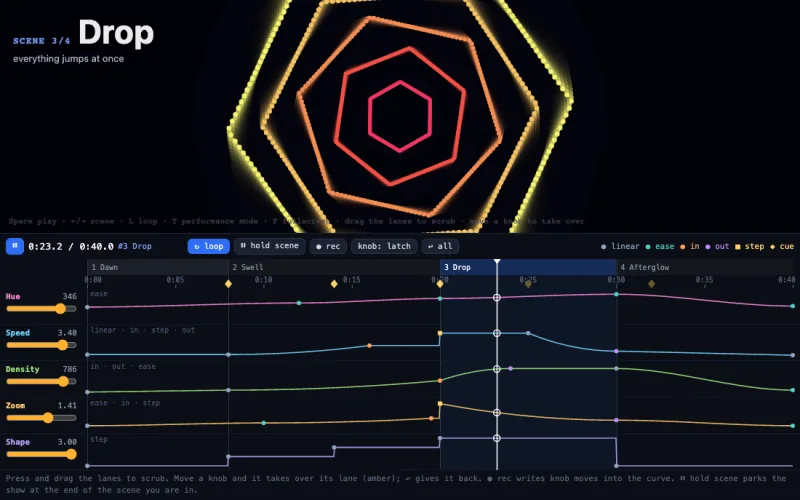
14
Timeline
Plays with nothing: it plays itself · knobs on screen
Automation you can see. Five lanes of keyframe curves drive a ring of light, scenes cut it, cues fire one-shot flashes, and any knob you touch takes over until you let go. Record a knob move to write a new curve.
④ Run a show
-
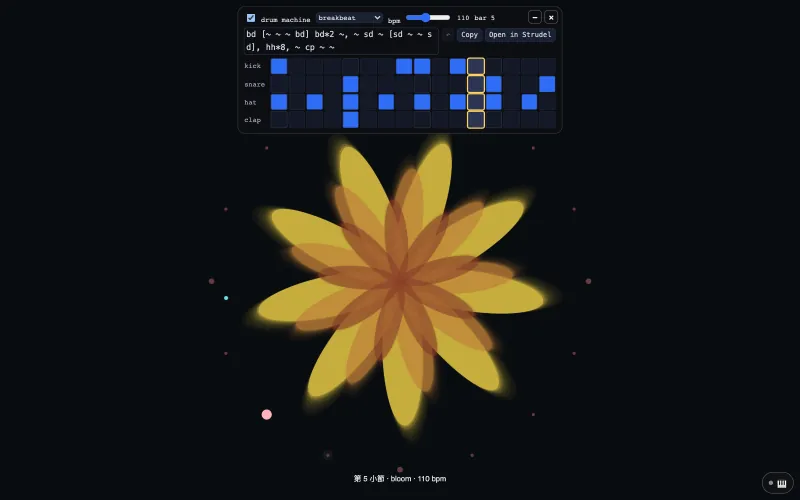
18
p5 drums and bars
Plays with drum machine · its 16-step grid
startDrums('breakbeat', 110)puts a 16-step drum machine on the page;kickDetected()andcueFired()turn its hits and its bars into the picture.④ Run a show
-
![A blue circle with a yellow hand sweeping round it, below a drum card that shows the line bd*4, [~ sd]*2, hh*8 and its 16 steps.](./assets/home/works/19.webp)
19
p5 one line of rhythm
Plays with drum machine · one line you can edit
startDrums("bd*4, [~ sd]*2, hh*8")writes the drums as one line of rhythm;drumPhaseandbeatPhaseturn a hand once a bar and swell a circle on every beat.④ Run a show
-
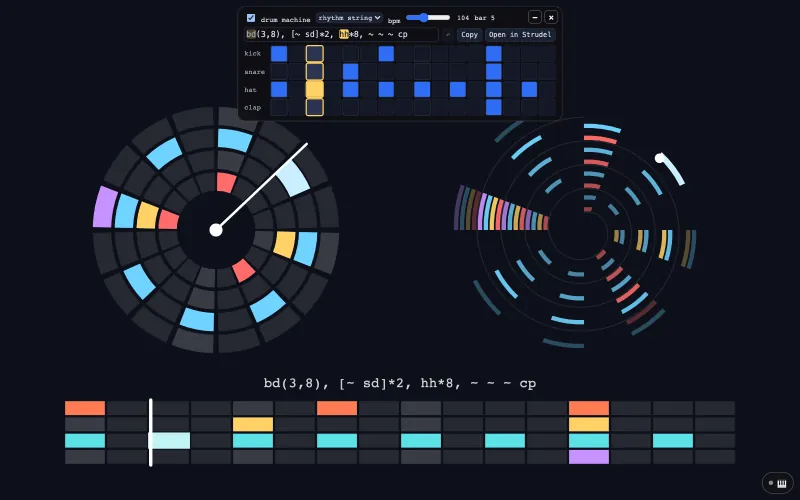
20
p5 rhythm you can see
Plays with drum machine · its cells and its line
drawRhythm()draws the rhythm on the canvas as a grid, a circle or a spiral, so a recording has it; the cells and the line on the card edit each other.④ Run a show
-
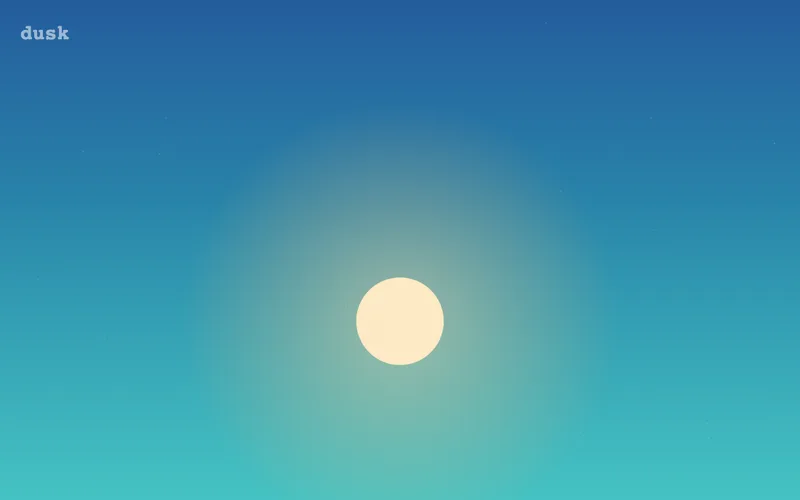
13
Score & director
Plays with on-screen piano · keyboard: Space, ← →
A show with structure: "A day of sky" written once as segment lengths; a Director runs one module per segment,
?cut=<id>picks a version, Space continues a hold.④ Run a show
-
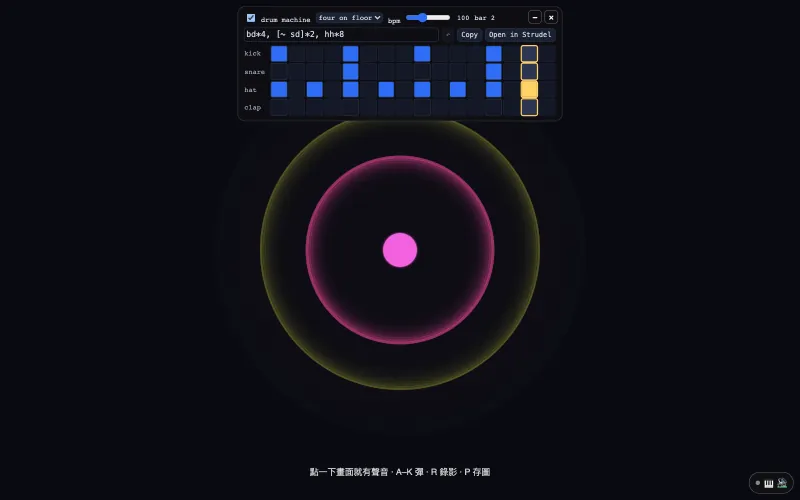
21
p5 record a video
Plays with QWERTY keys A–K · on-screen controller · drum machine
startRecording()saves the canvas and the sketch's own sound as one video, MP4 where the browser can write it; ⏺ and 📷 in the 🎹 panel need no code.⑤ Take it out of the browser
-
-
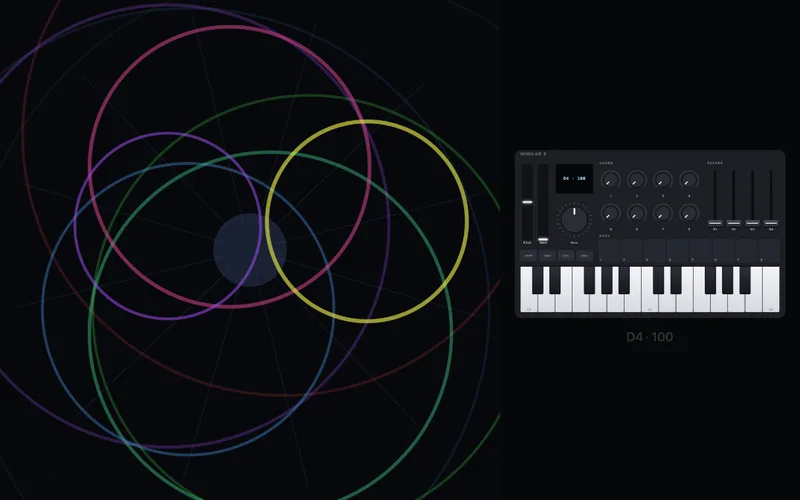
11
Controller video
Plays with MIDI controller · on-screen piano · QWERTY · a demo take
The performance video without a camera: the MIDI controller being played (MiniLab 3, any profile) drawn live under the work; replayed takes animate it too.
⑤ Take it out of the browser
Explore all the examples by route →
Works 05 to 07 are artworks by Che-Yu Wu (2020 to 2023), used here as demos. The framework is MIT. The artworks remain © the artist, all rights reserved.
Sister project
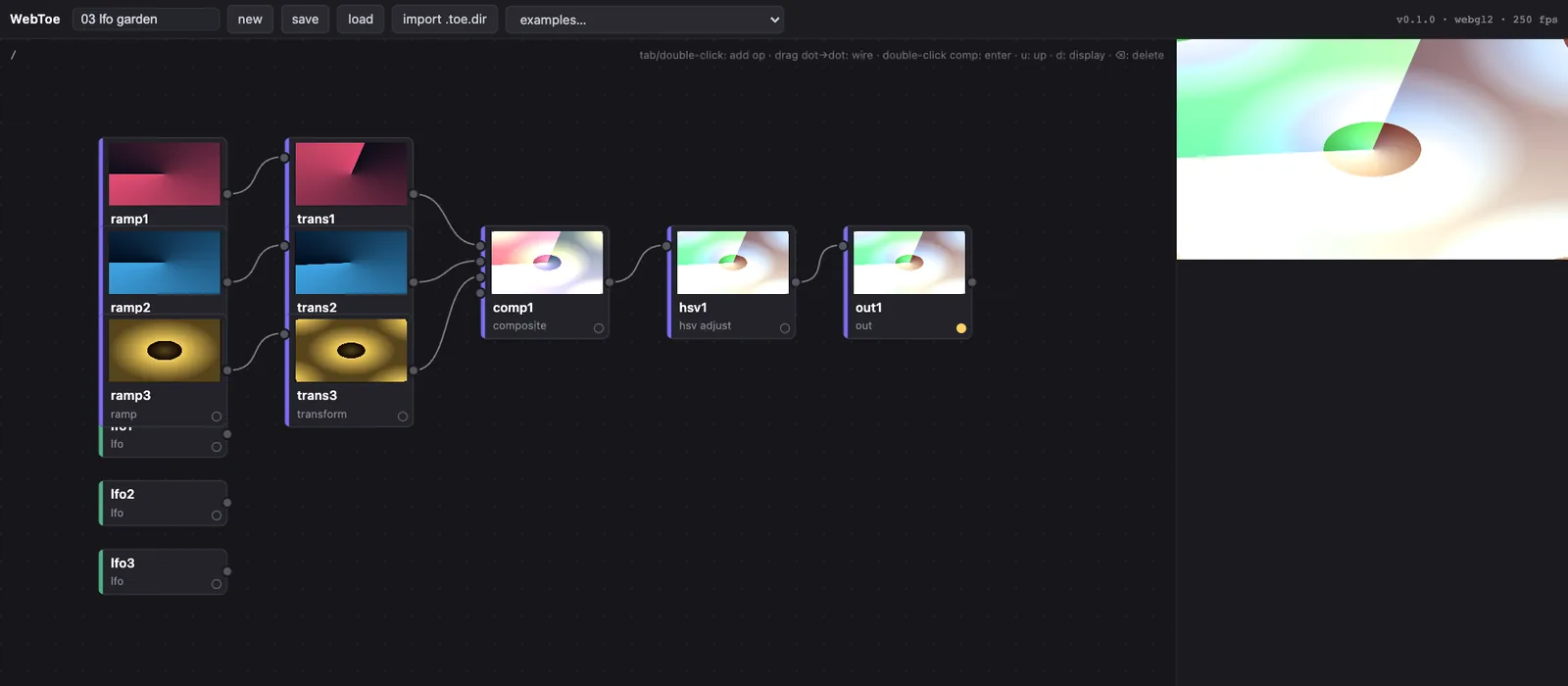
WebToe,
the engine
A node-based dataflow engine for real-time visuals: patch operators in the browser the way you would in TouchDesigner, on WebGL2 or WebGPU, with zero runtime dependencies, and open real TouchDesigner projects. Through @openav/world-webtoe a patch becomes a world you can perform. WebToe is the engine, open-audiovisual is the show.
04 · Start
Run it in a minute
No install, no build, no dependencies. Clone, run one file, open the browser. Use Chrome or Edge for Web MIDI and the camera.
git clone https://github.com/frank890417/open-audiovisual.git
cd open-audiovisual
node serve.js        # → http://localhost:8080
Then open http://localhost:8080/examples/01-hello-particles/ and read its main.js.
node packages/monitor/server.js           # backstage monitor (:7457)
node packages/osc/bridges/osc-bridge.js   # OSC → UDP bridge
Optional, each in its own terminal: the backstage monitor and the OSC bridge to UDP.
A world is the only part you write
Declare what the piece can be performed with (params), react to events, draw. Hand it to createShow() and the rest arrives with it: piano, mapping, timeline, console, sound, backstage. Put it next to an index.html with the import map, as in example 01.
import { createShow } from '@openav/show';
import { createCanvas } from '@openav/stage';

const pulse = {
  name: 'pulse',
  // what the piece is performed WITH: sliders, knobs, hands, the timeline
  params: [{ key: 'size', min: 10, max: 200, def: 40 }],
  init({ container, signals }) {
    this.view = createCanvas(container);
    this.r = 0;
    // a struck note is an event, so it may come straight from a signal
    signals.on('midi/note/on', ({ vel }) => { this.r = 120 * vel; });
  },
  update(dt, state) { this.r = Math.max(0, this.r - dt * 90); this.size = state.size; },
  render() {
    const { ctx } = this.view, { w, h } = this.view.fit();
    ctx.fillStyle = '#000'; ctx.fillRect(0, 0, w, h);
    ctx.fillStyle = '#fff';
    ctx.beginPath(); ctx.arc(w / 2, h / 2, this.size + this.r, 0, 7); ctx.fill();
  },
  dispose() { this.view.dispose(); },
};

await createShow({ world: pulse, modules: { sound: true } });Twenty-seven packages, by layer
Plain ES modules. Import what you need through an import map, or let createShow() assemble them.
Input
@openav/midiWeb MIDI in and out, many devices, on-screen controller profiles@openav/audioMicrophone analysis: loudness, bands, brightness, onsets, drum hits@openav/chordChord detection for performance: consonance, triads, clusters@openav/poseBody and 21-point hand tracking from the camera, on the device@openav/keysOn-screen piano, QWERTY playing and a simulated performer@openav/drumsSynth kit and step sequencer that publish analyzer-shaped signals@openav/leapLeap Motion hands through a small local bridge, as 21-point hand signals
Mapping
@openav/mappingSignal to param routes: curves, smoothing, many-to-many, learn@openav/chopValues over time, as TouchDesigner's CHOPs shape them: lag, envelope, speed, spring, trail, slope, count; the same curve at any frame rate
World
@openav/stageThe world shell: lifecycle and params, no renderer opinion@openav/world-webtoePerform a WebToe node patch as a world
Output
@openav/soundInstruments in the page (Salamander piano, mallets, strings, organ, synth presets), one file to add your own@openav/oscOSC out of the browser through a small Node bridge to UDP@openav/outPage parameters to WLED lights, serial motor boards and OSC through one local bridge, with a watchdog that falls back to safe values@openav/recordPerformance video: the work above the webcam in one file with its own sound; MIDI takes recorded and replayed@openav/fabCan it be made? A 3D-print check for any mesh (watertight, overhang, thinnest wall, grams) and STL, OBJ, GLB, STEP files
Spines
@openav/timelineParam automation, scenes and cues: the clock of the show@openav/scoreThe show as segment lengths: cuts, cues, holds, and a director that keeps it running when a module fails@openav/patternRhythm in one line: TidalCycles/Strudel-style mini-notation read into the hits of each bar (Euclidean rhythms, one-per-bar alternation, seeded chance)@openav/consoleThe director's desk and performance mode@openav/monitorBackstage view for any device on the network
Phones and tablets
@openav/relayZero-dependency room relay for phones and iPads@openav/surfaceTouchOSC-style widgets and autoSurface(params)@openav/remoteThe phone and iPad app: sensors, keyboard, control surface
Glue and agents
@openav/coreSignals, Params and Loop: what every layer speaks@openav/showcreateShow(): one call assembles the whole shell@openav/mcpMCP server for coding agents: list, read, scaffold, check
Documentation
- ArchitectureThe layer contracts, in detail
- Writing a worldThe world interface and the rule people break
- Signals referenceEvery signal the built-in inputs publish
- Show controlTimeline, scenes, performance mode, monitor, OSC
- RoadmapWhat a real show asked for next
- AGENTS.mdConventions for AI coding agents
FAQ
Common questions
What is open-audiovisual?
open-audiovisual is a zero-build JavaScript framework that turns MIDI controllers, microphones, hand tracking and phones into signals for browser-based audiovisual performance: p5.js, WebGL or WebToe worlds, MIT licensed.
Can I play p5.js sketches with a MIDI controller?
Any p5.js sketch (OpenProcessing, the p5 editor, your own page) can be played from a MIDI controller, from a controller drawn on screen, or from a phone, by adding one line at the top.
document.head.prepend(Object.assign(document.createElement('script'), { src: 'https://openaudiovisual.com/p5/oav-p5.js' }));No setup() call, p5 1.x and 2.x.
Can a p5.js sketch make sound, keep a beat and record itself?
Sound: startSound('piano'). Every note from a keyboard, the 🎹 on screen or a phone is heard; 🔊 in the panel switches instruments.
A drum machine: startDrums(), a 16-step grid with four tracks and five patterns.
One line of rhythm: startDrums("bd*4, [~ sd]*2, hh*8"). The notation comes from TidalCycles and Strudel; OAV implements it independently, from the public documentation (@openav/pattern).
Record a video with its sound: startRecording(), stopRecording(), recordingSaved(info). ⏺ and 📷 in the 🎹 panel need no code.
How do I smooth a jumpy value, like TouchDesigner's Lag CHOP?
Values over time, like TouchDesigner's CHOPs: lag(micLevel, 0.03, 0.4) (Lag CHOP, in TouchDesigner's seconds: about the time to follow 90%), env('kick', 0.01, 0.3) (Trigger), speed(), spring(), trail(), slope(), count(), one call each in draw(), nothing to declare.
circle(width / 2, height / 2, 50 + lag(micLevel, 0.03, 0.4) * 300); // a VU meter: opens at once, closes slowlyDoes it work with Strudel?
Strudel is a live-coding environment for music in the browser, a JavaScript version of TidalCycles. OAV is a separate program.
With Strudel: load the line in strudel.cc and the knobs, a phone and the microphone become Strudel's parameters; notes Strudel sends with .midi('OAV Virtual MIDI') reach notePressed at their timestamps (4.5 ms at most, measured), its clock leads the drum machine and drumPhase, and link=<room> carries notes and clock to another tab or computer.
They meet through MIDI (OAV's virtual port, "OAV Virtual MIDI") and through the page's own variables (knob1, micLevel, drumPhase).
await import('https://openaudiovisual.com/p5/oav-p5.js')OAV never loads or calls any of Strudel's code.
Does it work without hardware?
Every example runs without hardware. An on-screen piano, QWERTY keys, a simulated performer or a drum machine stands in for instruments.
All of these publish the same signals as real hardware, so nothing downstream can tell the difference.
Which browsers support MIDI?
Chrome and Edge have it. Use them for a show.
Safari and iPad have no Web MIDI; the on-screen controller and the phone still work there.
Camera and microphone only work in a secure context: http://localhost or https://.
Which MIDI controllers are supported, and what is each one's CC map?
Controllers are data: one JSON file per device with the faceplate, every control's exact MIDI message, LED feedback, how to recognise its port, and the document each number came from.
The same file drives an on-screen controller you can play, follows the real device when you plug it in, and drops into any web page.
Can I embed a MIDI controller on my own website?
<script type="module" src="https://openaudiovisual.com/packages/midi/element.js"></script>
<oav-controller profile="akai-lpd8" readout></oav-controller>
That is the whole integration. The element works without Web MIDI (Safari, iPad): it plays and fires events; only hardware and MIDI out report that they are unavailable.
Can an AI agent build a world for me?
Worlds are code, and coding agents are good at code. A person describes a performance in words, the agent writes the world, and the framework runs the show.
An MCP server ships in the box (.mcp.json, zero-dependency stdio)
What does it cost and what is the license?
MIT: build shows, teach classes, fork worlds. Attribution appreciated, not required.
Examples 05 to 07 integrate artworks © Che-Yu Wu, all rights reserved.
05 · For AI agents
For AI agents
Worlds are code, and coding agents are good at code. A person describes a performance in words, the agent writes the world, and the framework runs the show.
Paste this into Claude Code, Cursor or any coding agent
Clone https://github.com/frank890417/open-audiovisual and read AGENTS.md first.
Run `node serve.js` and open http://localhost:8080/examples/01-hello-particles/ to see the smallest complete show.
Create examples/27-<name>/ by copying 01-hello-particles (or call the openav MCP tool scaffold_world), then write a World in its main.js for this piece:

  <describe the performance, e.g. "a jellyfish world that blooms on consonant chords">

Rules from AGENTS.md: continuous control goes through params, and the mapper routes signals to them. Never edit packages/* to make one example look right.
Done means: npm test passes, and the new example loads with zero console errors.
Connect the MCP server
The repo ships a zero-dependency MCP server over stdio. Claude Code picks it up from .mcp.json when you open the repo. For other clients, point at the file:
{
  "mcpServers": {
    "openav": {
      "command": "node",
      "args": ["/path/to/open-audiovisual/packages/mcp/server.js"]
    }
  }
}
Tools
list_examples- which works exist, with a one-line summary each
read_doc- architecture, writing-a-world, signals, show-control, agents
scaffold_world- copy a donor example into a new numbered example
run_checks- run the test suite, the same gate CI uses
list_controllers- every MIDI controller profile, with its control mix and unverified count
read_profile- one profile in full, plus a readable MIDI map
validate_profile- check a profile JSON and catch clashes with shipped ones
scaffold_profile- a valid skeleton for a new controller, every number marked unverified
Machine-readable
- /llms.txtwhat this is, the concepts, every doc and example, in llmstxt.org format
- /llms-full.txtREADME, AGENTS.md and the docs in one file
- AGENTS.mdthe layer contracts and the two rules an agent must not break
- /create-worlda Claude Code skill that scaffolds a world from a description
application/ld+jsonthis page carries SoftwareSourceCode JSON-LD- /zh/this page in Traditional Chinese
06 · Lineage
Extracted from a show
The core of open-audiovisual comes from The Last Input (Che-Yu Wu, 2026), a 49.4-channel spatial sound performance at the IRCAM residency × C-LAB in Taipei, where a pianist feeds a living digital world. Its timeline, chord semantics, many-to-many MIDI learn and OSC batching drove a real 14-scene show before they were generalized here. The rule since then: the framework only grows features a real show asked for.
The mapping layer descends from libmapper's research on signal namespaces. The sister project WebToe is a node-based dataflow engine that imports TouchDesigner projects. WebToe is the engine, open-audiovisual is the show.
Hydra gives you improvisation. cables gives you a platform. Tone gives you sound. open-audiovisual gives you a show.
Next, from the roadmap
- Record the full signal stream of a performance and replay it into any world
- npm packages, and a docs site built on the framework itself
- A WebGPU world adapter for particle and agent worlds
- An NDI gateway so browser output enters professional video pipelines
- Several machines sharing one signal space over WebRTC
- Agents that subscribe to signals and play alongside people